
Several of our services have Sanity in the name, from multilingual websites to WordPress and Webflow migrations, and if you haven't come across it before, that makes the menu harder to read than it should be. This page explains what Sanity is and why we build our websites on it, along with what that means for you once your site is live.
What Sanity is, in plain terms
Sanity is a content management system, or CMS, which is the part of a website where your content lives and where your team edits it. WordPress is the CMS most people have heard of, but Sanity works differently because it is what developers call headless, meaning the content is kept separate from the design of the site so that each can be built and changed without disturbing the other.
In practice, Sanity has two parts, starting with Sanity Studio, which is where your team creates, edits and organises content and which we shape around how your business works. Behind the Studio sits the Content Lake, the database where your content is stored as structured data, ready for the website to ask for whenever it needs it. The website your customers actually see is built separately, and we build ours in Next.js, a framework for fast websites that more people have started to recognise as more and more of them try vibe coding.
The content model
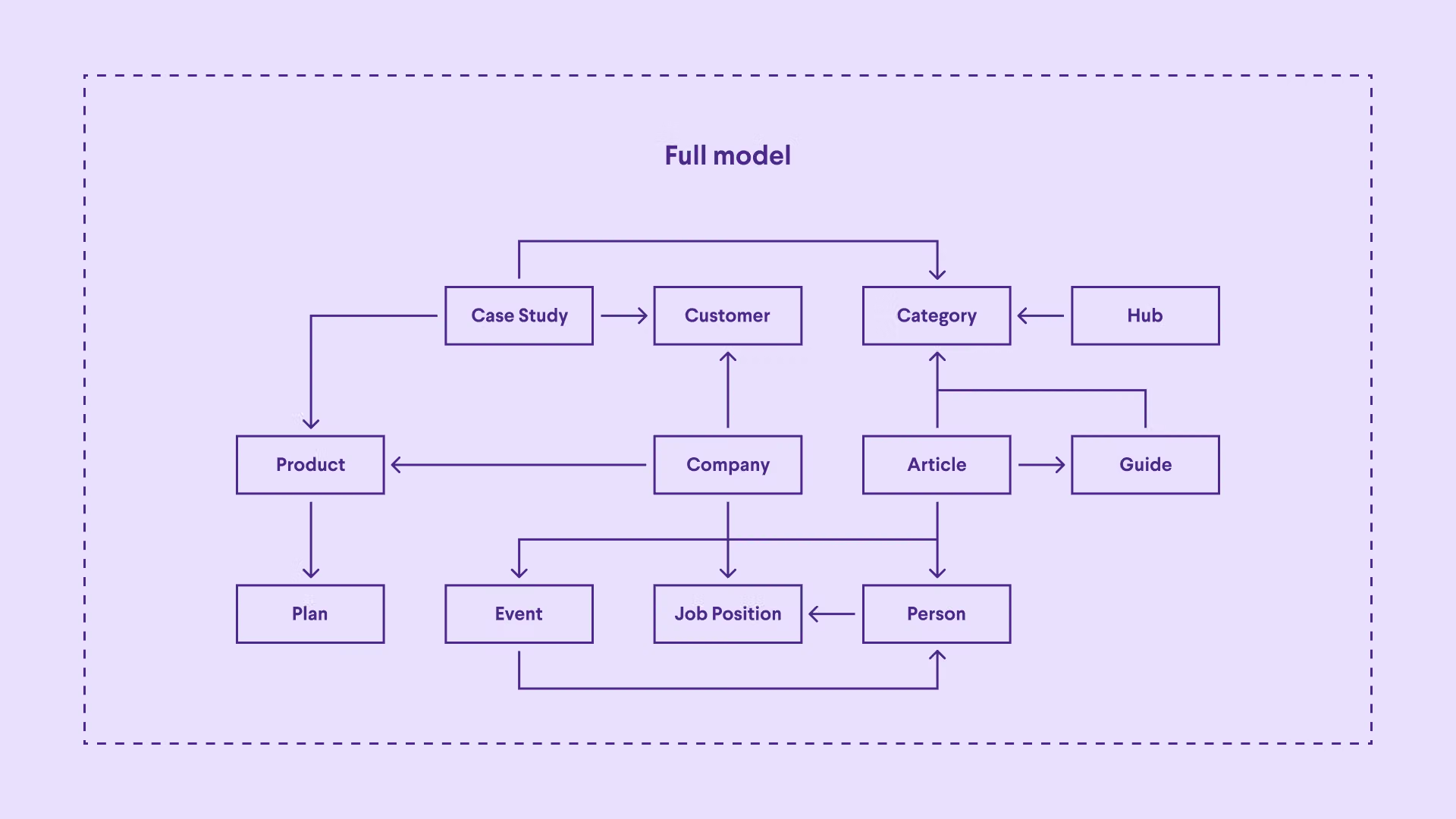
The content model is the part of Sanity I like most, and it is the main reason we chose it. In WordPress or Webflow you tend to think in pages, such as a home page, an about page and a services page, each filled with text and images. Sanity encourages you to think in concepts rather than pages, so products, team members, case studies or events each become their own kind of content, and you decide afterwards where each one appears.
Before we build anything, we work out what those concepts are for your business and which details each one needs, so a product might have fields for its price, sizes and stock status, and a team member a name, a role and a photo. The practical effect is that when something changes, you change it in one place and it updates everywhere it appears, so a new price or job title doesn't mean hunting through ten pages. Because the editing screens are built around your content instead of a generic page builder, the person updating the site sees fields that make sense to them, which also makes it much harder to break a layout by accident.
Flexibility scoped to your business
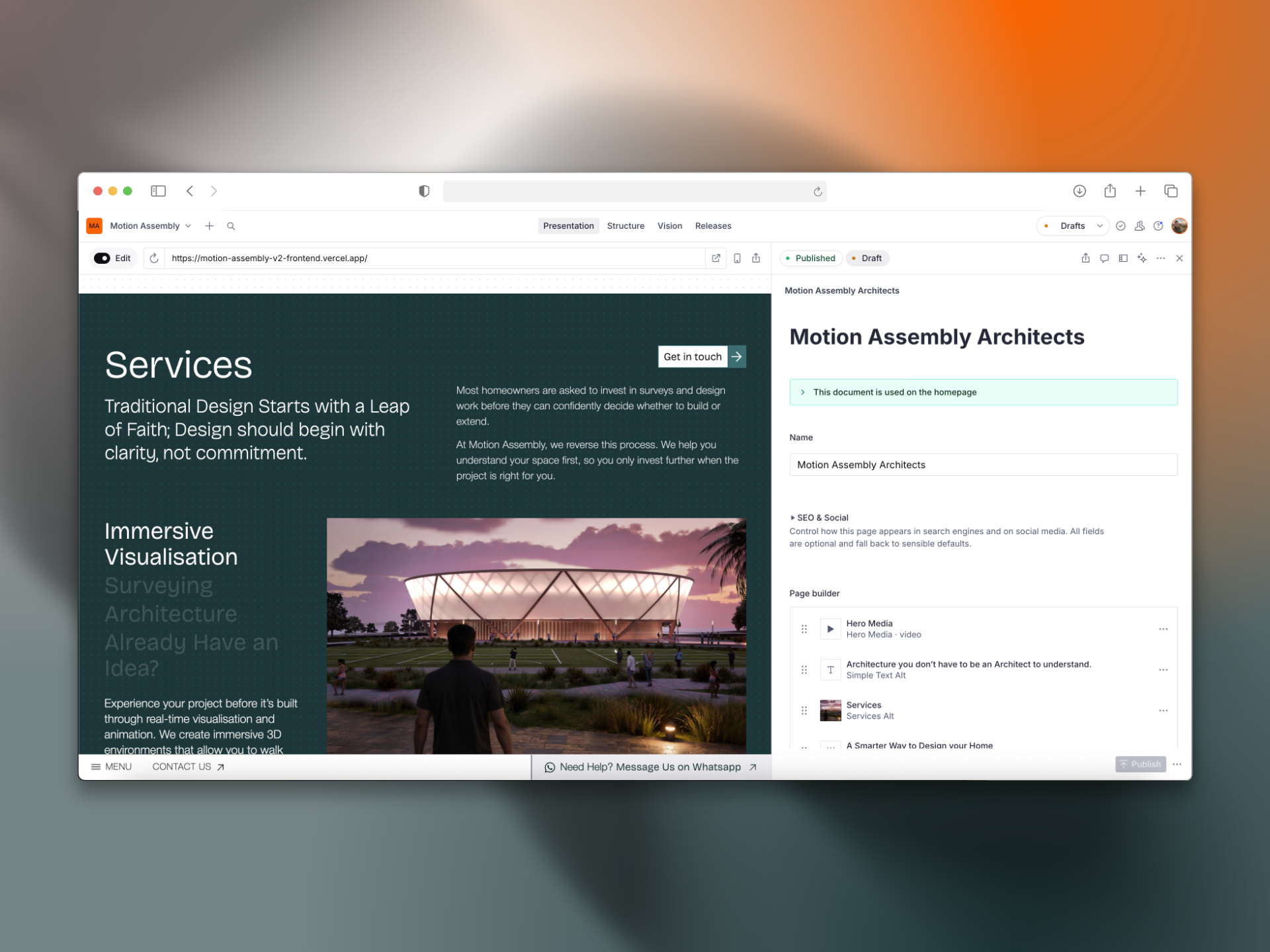
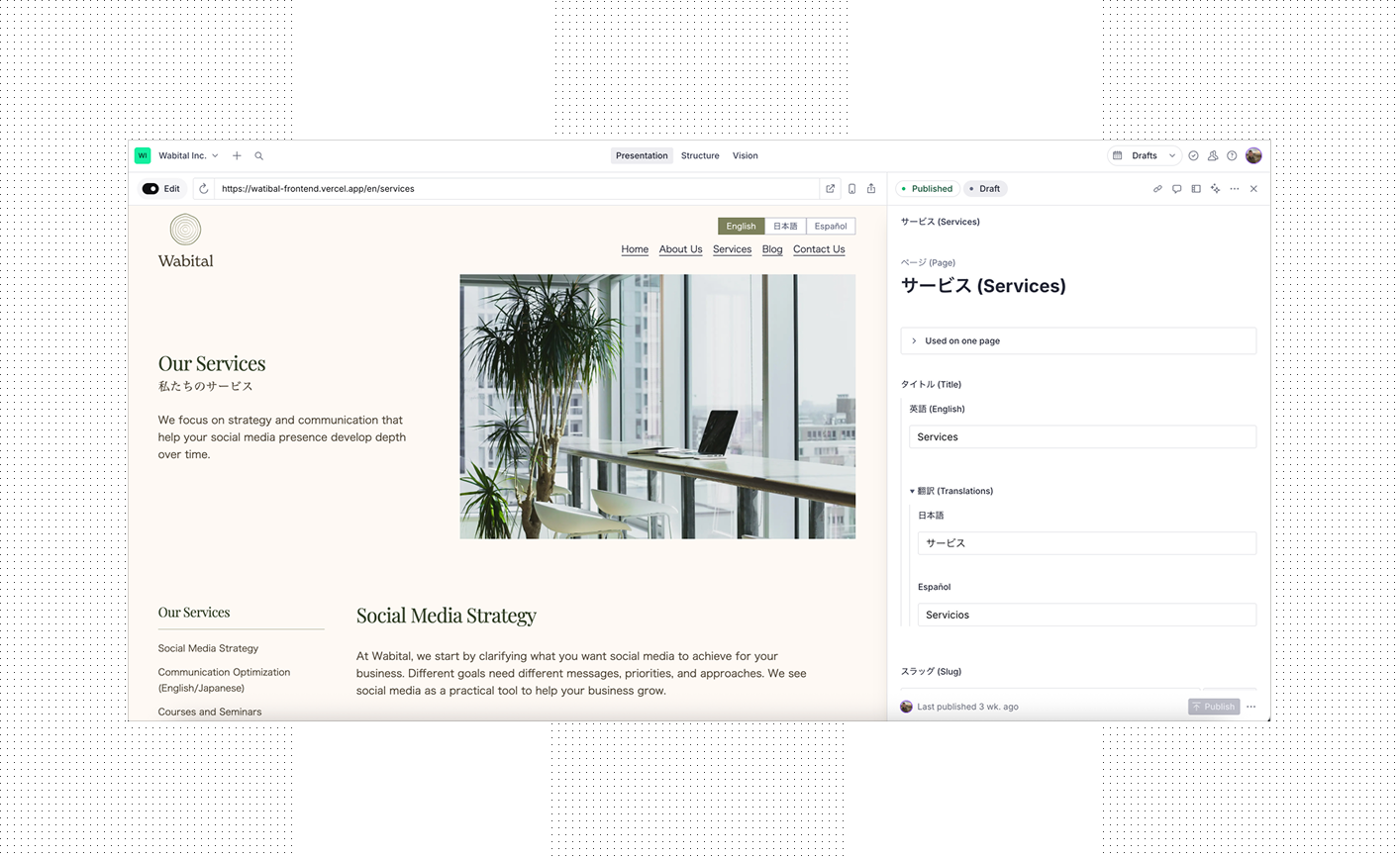
The other reason we use Sanity is that we can add essentially any functionality a business needs and scope it to that business's goals, instead of bending an off-the-shelf feature until it roughly fits. For Motion Assembly, an architecture practice, we set up Sanity's presentation view so the client can edit content while looking at the page itself, without trawling through menus to find the right field. For Wabital, we built a site in English, Japanese and Spanish where every content block can be translated within a single page. For BGC, we built a translation pipeline that checks any AI-translated content against the client's glossary, translation memory and term base, then brings it to their team for review, which keeps their branding much closer and tighter than relying on a straight translation would.
Each of those was built because that particular business needed it, and each sits inside the site as part of how it works, which is what we mean when we talk about building with intent.
Because the Studio can be extended with tools of its own, a lot of the day-to-day running of a business can happen in the same place your team edits the website. A few examples of what we can build directly into it:
- Managing contact form submissions, with each enquiry stored, tagged and marked as followed up
- Reviewing bookings or appointment requests before they're confirmed
- Approving translations before they go live on a multilingual site
- Scheduling pages, products or announcements to publish on a set date
- Posting job listings and keeping track of the applications that come in
- Managing redirects when a page moves, so old links and search rankings aren't lost
- Collecting customer reviews and choosing which ones appear on the site
Why it suits multilingual sites
Multilingual sites are where the content model earns its keep, because Sanity stores the language as part of the content itself instead of treating each translation as a separate copy of the site. It supports two approaches, translating individual fields within one document or giving each language its own document linked to the others, and a single project can use both, choosing whichever suits each type of content.
For Wabital, a small team publishing in three languages, we translated each content block within a single page, which keeps the site uniform across languages and means new pages can be built quickly because the design is predictable. A larger site with long articles and separate editors for each market might be better served by giving each language its own documents, and because the choice is made in the content model, we can make it per project without changing platform. If you're planning a site in more than one language, our multilingual websites service covers how we approach it.
How it compares with WordPress and Webflow
I used to build in WordPress, and what pushed me away was how much of every site came to rely on plugins. Each one needed constant updates, and every update risked breaking something else or opening another security issue. WordPress did have flexibility, but adding anything substantial always felt like a workaround instead of building natively, and the more workarounds a site collected, the harder it became to look after. With Sanity, what we build is part of the site from the start, so there is far less to patch and far less that can quietly break.
Webflow is a good tool, but the developer experience is better with Sanity, and the Studio can be self-hosted, so it can sit wherever suits the project. Together, those mean we can build new features for you more quickly.
If your site is on WordPress or Webflow now and some of this sounds familiar, our WordPress to Sanity and Webflow to Sanity services cover moving your site and its content across.
What this means if you work with us
For you, the result is a site your team can update from the day it launches, with editing screens that match your business instead of a generic template. Every website and e-commerce build we do comes with custom video guides for your Studio, so whoever is editing content knows where everything is from the start. When you need something new later, such as a booking system, a client portal or another language, it gets added to the content model, either as part of a growth retainer or scoped as a separate piece of work, and it fits into the site as though it had always been there.


