

We often have businesses that come to us about a rebuild that already have a website, and quite often it was put together in an afternoon with an AI site builder. That was usually the right call at the time, because the builder produced something presentable quickly and the business had other things to deal with. The trouble tends to arrive a year or two later, when someone wants to restructure the site, move the blog, merge two product ranges or leave the platform altogether, and finds that the URLs, the redirect rules and the structured data were never fully theirs to change.
Almost every builder lets you edit page titles, meta descriptions and the last part of each URL, so the SEO settings panel looks reassuring when you first open it. What varies, and what the feature pages tend not to mention, is how much of the structure underneath you can change, which is the part search engines read most closely and the part your search history is built on.
What full control over SEO actually covers
There are three things worth checking before you commit to any platform, because each becomes expensive to change once the site has been live for a while.
URL structure is the shape of your addresses: whether a product lives at /products/oak-table or /furniture/tables/oak-table, and whether you get to choose. Once pages are indexed and other sites link to them, those addresses carry your search history, so changing them later means redirecting every one.
Redirects are how you move a page without losing what it has earned. Google's guidance on site moves is to use server-side permanent redirects where possible and to keep the redirects for as long as possible, generally at least 1 year, which means a builder's redirect tool has to cope with however many old addresses you have, for as long as you need them.
Schema, or structured data, is the code that tells search engines what a page is, whether that's an article, a product with a price or a business with an address. Some builders write it for you, some let you write your own, and some leave you with whatever they generate.
Which AI site builders limit your SEO control
The builders below are ordered roughly from least control to most, and the table gives the short version before the detail.
| Builder | URL structure | Redirects | Schema |
|---|---|---|---|
| Hostinger AI Builder | Slugs editable | None in the builder; set up externally, such as through Cloudflare | Limited |
| Durable | Slugs editable | A Javascript snippet in the page header, not a true 301 | Limited |
| Squarespace | Collection prefix can be renamed, not removed | One field, about 2,500 lines | Automatic, not editable; custom code is plan-gated |
| Shopify | Fixed /products/, /collections, /pages/, /blogs/ | Exact match only, no wildcards | Generated by the theme, editable in theme code |
| Wix | Blog posts need a separate prefix from the blog | Single and group redirects | editable, with your JSON-LD |
| Framer | Flexible | Pro plan and above, up to 2,500 per project | Written by hand |
| Lovable | You own the code | You own the code | You own the code, but nothing is set up for you |

A note on Shopify: if you’re starting a new store, the fixed URL structure isn’t necessarily a problem, because there’s no search history to protect yet. If you’re moving an existing store across, it can be managed with a full redirect map, though you should expect some drop in traffic while search engines catch up with the new addresses. If you’d rather avoid that, we build headless stores with Sanity and Shopify, which let you keep the URL structure your current store already has.
Hostinger AI Builder
Hostinger's builder covers the basics, letting you change the title, meta description, URL and image alt text on each page. Redirects are where it falls short, because there is no redirect setting inside the builder at all. Hostinger's own help centre says that redirects for Website Builder websites need to be created externally, and points you to Cloudflare. The redirect tool in its main hosting dashboard doesn't help either, since a domain connected to the Website Builder won't show the Redirects option. That's workable if you're comfortable with DNS, though it means a second service to manage for something most platforms handle in the dashboard.
Durable
Durable is built to get a small business online in minutes, and its SEO settings reflect that, with editable page slugs, titles and meta descriptions and much less beyond them. Its redirects are the clearest example here of a feature that carries the right name without doing the same job. Durable's help article on 301 redirects tells you to paste a script into the site's header code, and that script moves visitors on with JavaScript once the old page has started loading in their browser. A real 301 is an instruction sent by the server before anything loads, and Google's guidance treats JavaScript redirects as a last resort for when server-side redirects aren't possible. For a sole trader with a five-page site this rarely matters, though it starts to once the site becomes where your content and enquiries come from.
Squarespace
Squarespace, which now offers Blueprint AI to generate a starting layout, is more capable than the first two, though it draws its lines firmly. Collection pages always carry a prefix, so blog posts sit under /blog/ or whatever you rename it to, and you can't remove that prefix entirely. Structured data is generated automatically and can't be edited or removed, and adding your own code to the page header is only available on higher plans.
Redirects live in a single URL mappings field, which Squarespace's documentation limits to 400 KB, usually around 2,500 lines. That is plenty for most small sites, and a real constraint for a shop bringing several thousand product URLs across from another platform.
Shopify
Shopify has offered an AI Store Builder that generates a store design from a short description since 2025, and in October 2026 it added Canvas, an early-access workspace where you build the store by chatting with its Sidekick assistant. Underneath all of that, it has the most rigid URL structure of any platform here. Every product sits under /products/, every collection under /collections/, every page under /pages/ and every article under /blogs/, and you can only edit the handle at the end. Removing or renaming those segments means going headless, which is to say building your own front end on top of Shopify.
The built-in redirects have their own catch, because in practice they only apply to addresses that no longer resolve, so if a live product, collection or page still sits at the old path, the redirect is ignored. They also have no wildcard or pattern matching, which means a large migration involves listing every old URL individually or paying for an app to do it.
Schema is the one area where Shopify gives you real control, provided someone on your side can edit theme code. Themes generate product and article markup through Shopify's structured_data filter, and because the theme's Liquid files are open to edit on every plan, you can extend or replace that markup template by template.
Wix
Wix deserves more credit on SEO than its reputation suggests. It lets you add your own structured data and override the markup it generates for blog, product and event pages, and its redirect manager can move every URL under one path with a single group rule. Its limits are in the URLs, since blog posts sit under a prefix you can rename but not remove, and that prefix can't be the same word as the blog's own. A clean /blog/post-title structure therefore isn't possible, which sounds minor until you are moving an existing blog from a platform that used exactly that pattern.
Framer
Framer is popular with designers for its fast, clean pages, and its AI features can now generate a site from a prompt. It has no built-in schema editor, so structured data means writing JSON-LD by hand into the custom code settings and wiring CMS fields into it yourself. Redirects support wildcards, which is more than Shopify offers, but Framer's pricing page lists them only from the Pro plan upwards, and its developer documentation caps them at 2,500 per project, which is enough for most sites short of a large shop migration.
Lovable
Lovable generates a working application from a prompt, and for most of its history it had the most serious SEO problem of all, because pages were rendered in the visitor's browser and search engines received an almost empty page on their first visit. That changed in May 2026, when Lovable moved new projects to server-side rendering, so crawlers now get the full page on the first request. Projects created before then still run as single-page apps unless they are upgraded, and Lovable's own documentation notes that sitemaps, robots.txt and metadata are not always generated up front. You own the code, so the control is there, but setting it up is left to you.
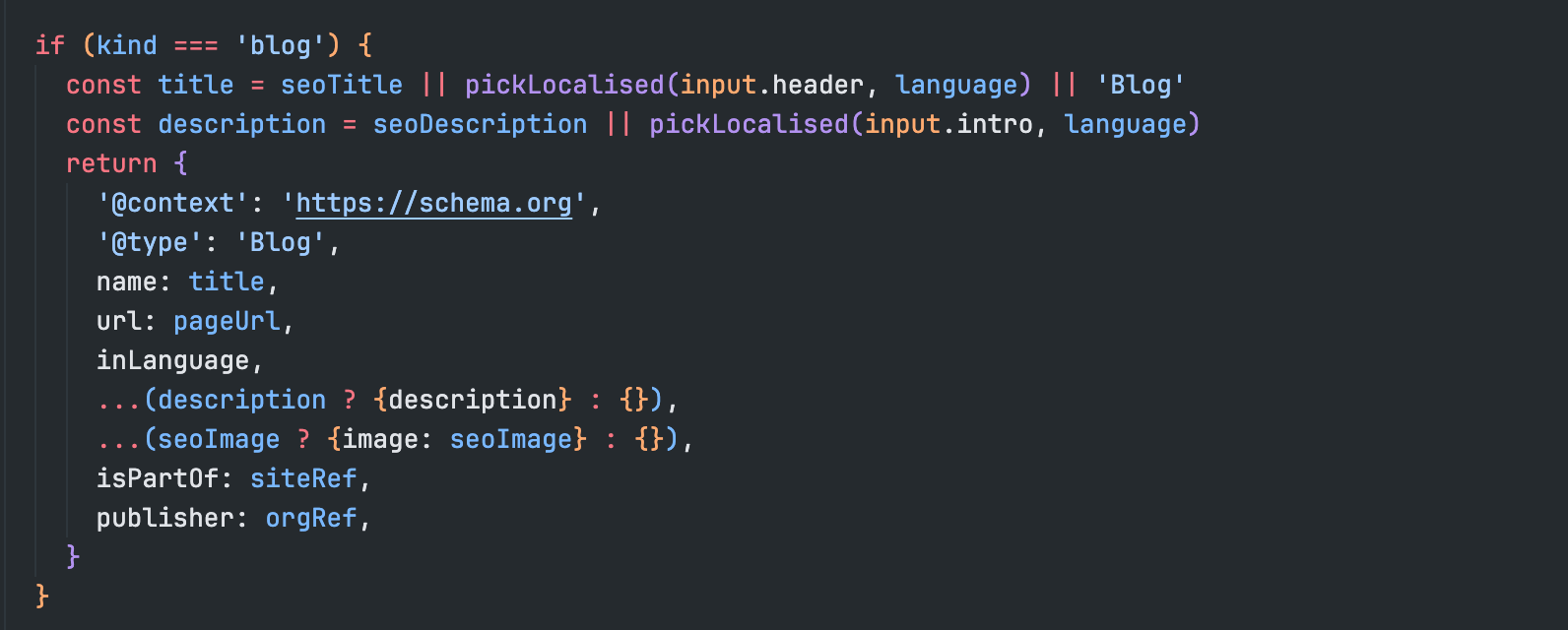
Why schema still matters now FAQ snippets have gone
For a few years the main argument for schema was the extra space it could win in search results, such as the expandable FAQ boxes under a listing, and that argument has weakened. Google stopped showing FAQ rich results on 7 May 2026, following the earlier removal of HowTo results and several other types.
Google has said it still reads FAQ markup to understand pages, though, and in our view that was always the better reason to care. Schema is how you tell search engines, and increasingly the AI tools that summarise search results, what your business is, what you sell and where you are, in a form they don't have to infer. A builder that writes generic schema for you and won't let you correct it leaves that description to the platform.
When an AI builder is the right call
None of this is an argument against builders. A site you expect to stay roughly the same shape, such as a brochure site for a local service or a landing page for an idea you're testing, gets what it needs from almost any of them, and the speed is worth more than control you won't use.
The calculation changes when the site is expected to grow: a blog you plan to publish on for years, a shop that will add ranges and reorganise its categories, or a business that may one day change platform and wants its search history to come with it. In those cases the URL structure and redirect rules are decisions about the next five years of the site, and they are worth making on purpose.
For your technical lead: several of these limits depend on the plan, so check them against the plan you would actually buy.
- Can every URL prefix be changed or removed, or only the final slug?
- Do redirects support wildcards or patterns, and is there a cap on the number?
- Can a redirect be created from a URL that still resolves to a live page?
- Can you edit or remove the schema the platform generates, and add your own JSON-LD per template?
- Is the HTML served fully rendered on the first request?
Who owns the structure
The part of an AI-built site that is hardest to move is the part you didn't choose. Content can be copied and a design can be rebuilt, but the URL structure your search history sits on was set by the platform, and when you leave, every address it gave you becomes a redirect you have to maintain somewhere else for at least a year.
When we build a site, the URLs, redirects and schema are decided with you at the start and live in code you own, so a later redesign or a move to another host doesn't mean rebuilding your search presence from scratch.


